

Summary
Creating a branded tracking page not only enhances your customers’ experience, but also reinforces your brand identity. Follow the below steps to manage and customize your branded tracking page using the FlavorCloud App.
Steps
- Go to the FlavorCloud App and navigate to the Branded Tracking section in the main menu.
- Upload imagery for your brand header and ad section using the appropriate size specifications listed below
- Brand header image size: 1656px x 95px
- This image sits at the top of the tracking page and is most often used for your logo, company messaging, discount codes, and more.
- Ad section image size: 571px x 916px
- This image sits to the right side of the tracking page details and can be used to highlight specific products, sales, or other branding opportunities you’d like to showcase.
- Choose your desired colors for font, dark background, and light background using either the eyedropper selection tool or by inputting the appropriate RGB code for your brand.
- Input your desired Ad URL. This is where you’d like clicks on your Ad section image to redirect to and is most commonly your store URL or the URL you’d like to direct any specific sales or promotions to. Be sure that this URL makes sense with the imagery you chose in Step 2.
- Click the ‘Preview’ button to see how your branding customizations will display for your shoppers.
- Once satisfied with your tracking page’s look and feel, click ‘Save’.
Your branded tracking page will now reflect the updates and be live for your customers to see!
| Branded Tracking Page Preview: | |
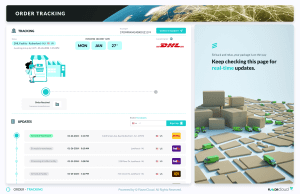 |
Your customers will see a branded experience like the example below:
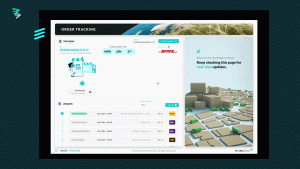
Your shopper can then track their package from a single location. Even if the package has multiple tracking numbers, every step of the journey will be reflected on this tracking page. You can learn more about the different tracking statuses here. Additionally learn more about tracking your orders and shipments.
FAQs
Can I use multiple ad images at once?
No. Each branded tracking page supports one header image and one ad section image. You can change these anytime.
What if my branded page doesn’t update?
Make sure you clicked Save after previewing your changes. If you’re still seeing the old version, refresh the page or clear cached images.