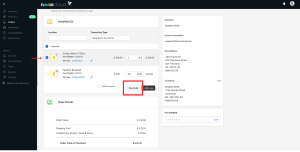

With FlavorCloud, you can ship an order in multiple shipments, this is called “split shipments”. If you need multiple shipments to fulfill an order, you can flag an order as a partial order at the time of fulfillment.
For each partial order, the appropriate charges will be shown. The charges will be displayed according to the items moved in a parcel (cost of items, taxes, duties, etc.).
Steps for shipping split shipments:
- In the Order section, select the order
- Adjust the items or number of units to be shipped.
- Re-rate and fulfill the partial order – Once you have adjusted the items and quantities, you will need to re-rate the order. You will need to get an updated shipping rate since the weight and contents of the order have changed. Select the preferred service level (Standard, Express) and terms of trade (DDP, DDU) and then confirm fulfillment which will execute the partial order.